

To many looking in from the outside, this seems like a fairly straightforward thing. All you do is start recording and go for it, right?
HAH!
There is so much to consider before you even begin – what kind of content will you make? Are you just taking and posting sexy photos? How much will you show in the photos? Maybe you’re taking short, teasing videos. Maybe you’re taking short videos where you show everything. Maybe you’re making full clips.
We discussed this sort of thing in the Getting Started in the Adult Industry blog post. Now I’m going to give you some insight as to where to go once you’ve answered that question.
Quality
I can’t tell you what kind of content to create, but what I want to drive home is that quality is key. You don’t need to film in 4K or hire a professional photographer, but you should make sure things are lit properly, nothing is blurry (unless you’re going for that), no Snapchat filters, etc. I cannot tell you enough to keep those stupid filters out of your content.
The more high quality you look, the more popular you’re going to be.
I will add that some people like the true amateur feel with poorly lit and poorly framed content and while that is a larger percentage than I would’ve expected, they will still want to see a higher production level at times.
Tools
Before you really get started, there are a few things I recommend investing in.
The first is a ring light. You’ll thank me, I promise. Ring lights usually allow for different types of white light and some will even offer other colors or a setting that cycles through colors. Your overhead bedroom light or the lamp on your bedside table just aren’t enough.
You may want a diffuser as well, especially if you wear glasses. Just make sure it’s the right size to fit your ring light. The less someone sees the ring light or other setup, the less likely they are to be taken out of the moment.
In addition, you absolutely want a tripod. You cannot just rest your phone against something. I promise you that it won’t be good enough. Most ring lights come on a tripod stand, so if you just make sure to purchase one with a phone or camera mount, you should be fine. Try to pay attention to the height as well. The taller the ring light, the wider variety of angles you can achieve. You may even want to find one with an extension so it can look down on you while you’re on a bed. If you do, make sure you have a way to anchor the tripod so it doesn’t tip.
Another thing you should invest in – especially if you don’t have someone to take photos for you – is a small, Bluetooth enabled remote that connects to your phone. They’re simple. Mine has an on/off switch and 2 buttons and that’s all I need. I set up the camera, get into position with the remote hidden in my hand, and go wo work.
Taking screenshots from videos does work, but they don’t turn out as well when the lighting isn’t as good. I can say that from experience. If you use this technique, just make sure to move slowly even when you’re changing positions because you might be able to take candid moments that look better than expected.
An external hard drive is huge for protecting your content and ensuring you always have a backup. I actually just purchased a new one because, after 6 years, I finally ran out of space on the one I was using.
External hard drives allow me to organize raw and edited footage, promotional graphics, photo shoots, and more. They allow me to go back and find trailers to post on Twitter or other sites as marketing opportunities. It also helps when, after more than a year, a co-performer texted me out of the blue asking if I still had the footage from our collab because it wasn’t in the Dropbox folder that I had shared with him.
And of course I had the footage because I save everything. You’re welcome, buddy.
Having an external hard drive also ensures that if an online storage account gets hacked or if there’s a glitch and something gets destroyed, you have that backup. Trust me when I say that any number of things can happen. Better safe than sorry.
Background
If you’re taking a photo with items behind you, make sure nothing indicates any personal information such as mail or a high school emblem of some kind. There are a million ways someone can find information about you, so do everything you can to keep that information private.
Make sure to clear any clutter. The tidier your workspace, the more professional you look. We all have those photos where we didn’t move that one weird thing out of the way, but that’s what editing is for, right? Just make it easier on yourself by checking your area first.
Especially if you’re a Dom(me). You want it to look like you have your life together and a messy background doesn’t convey that.
All of this makes you look like like an amateur, less new to the industry. The newer you look, the more likely you are to get preyed upon by scammers.
Be like google earth
Always takin’ pics.
You need to constantly be thinking about content, even when you’re out with friends. In the bathroom at a bar? Take a titty pic in the stall. Brunch with the girls? Take a photo of your food and drink and demand reimbursement. Just walking back to your car after yoga? Take a video of you walking and tell your subs or your fans what you were just doing.
There are any number of ways to pull content from everyday life, not just when you’re set up and ready to film or photograph.
Blurring and other editing
If you don’t want your face to be in photos, the best way to take those photos is to just cut out your face entirely. Or maybe take photos from your mouth, down.
There are blurring and editing tools like PointBlur (an app on Android) or Canva, but you’ll save yourself some effort by using my first suggestion.
For Dommes, I don’t recommend wearing a mask. To me, that feels like there’s an element of fear – you’re afraid to be found out, afraid to show your face. When you crop your face, blur your face, etc., it feels more like you saying that subs aren’t worthy of seeing that. Other people might get to see the original photo, but they don’t.
That’s just my opinion. You’re welcome to do with that as you wish.
When it comes to tattoos or identifiable markings, while you can blur something out, if you’re making a video, you might want to cover those with medical tape or something like it. Not all video editing software is easy to use when it comes to covering moving objects.
The software I use, Wondershare Filmora, is great. I have used it for 6 years. It’s not that good for blurring moving objects, but it works for my needs and is just $50/year for the least expensive subscription. Well worth it, I promise.
I get that $50 is not nothing, especially if you’re getting into this because you need money. But you need to invest in some kind of editing software and this is one I recommend.
Previews & Thumbnails
Not all clip sites or subscription pages allow you to upload your own preview or thumbnail, but there are several that offer at least one of those. I recommend taking the time to create a 15-30 second trailer.
I use Canva to make thumbnails. It’s incredibly easy to take screenshots from my videos and add them to a project in Canva. Sometimes I’ll use one of their designs so I can add multiple screenshots, but most of the time it’s a simple thumbnail with the title over it.
Here are a couple of examples:
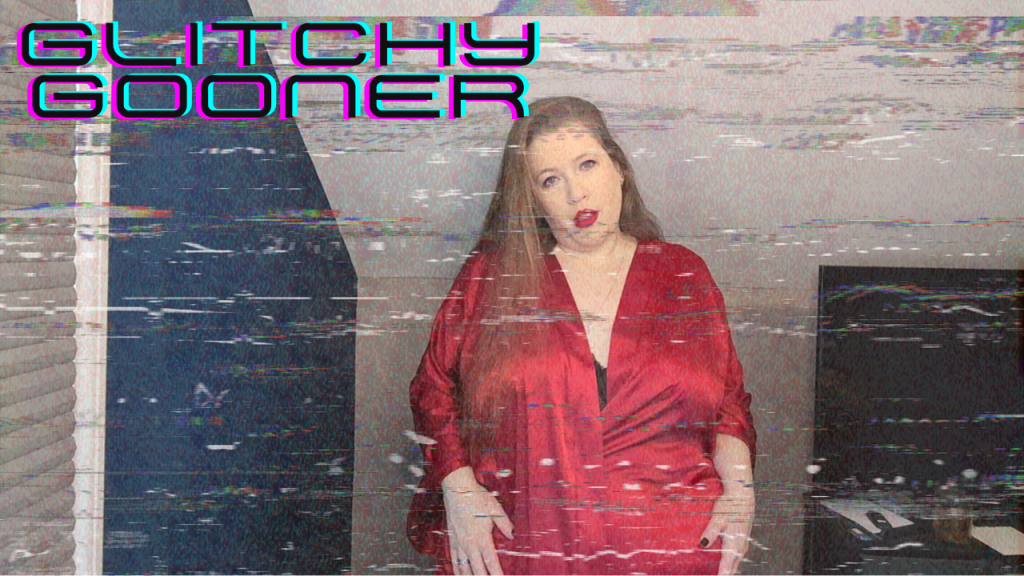
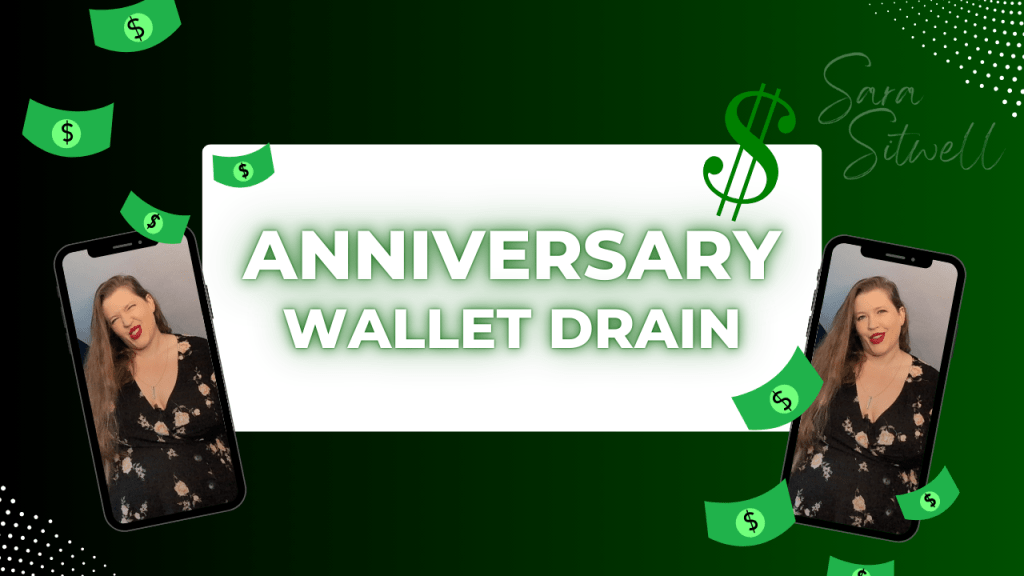
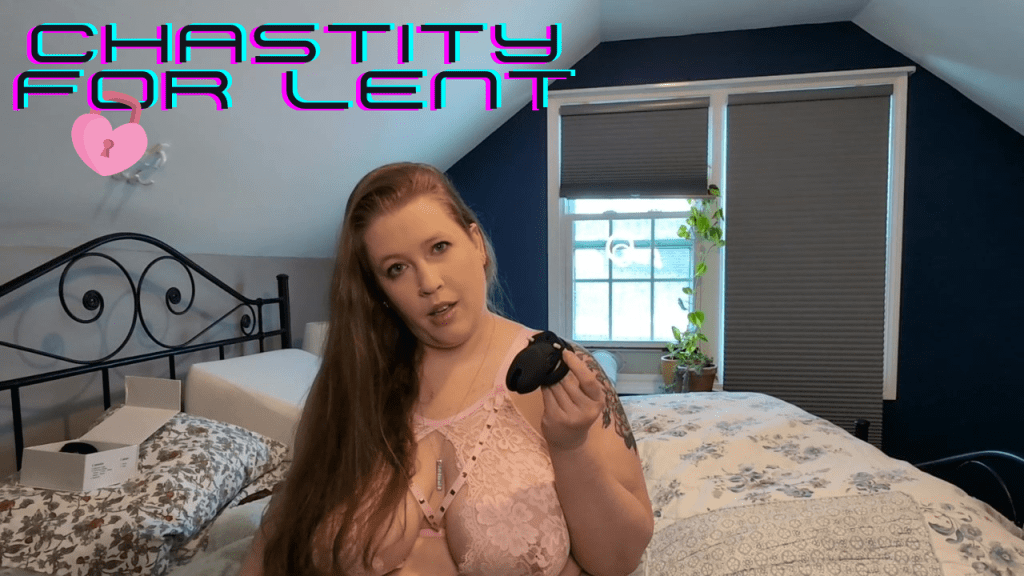
All of these were created in Canva and took just minutes.
I also used Canva to create my first few logos – though I did have someone make the one I’m currently using. It was another easy thing and I’ve been adding it as a watermark to all of my videos and trailers ever since.
Watermarks help to protect your work, so this is something I highly recommend doing.
This is just an introduction to content creation. I’ll be back with more tips and tricks.


Leave a Reply